To search, find the search bar in the upper-right.

Begin typing your desired slip information. The autocomplete should populate with your desired slip.

Either tap the results from populated suggestions or use enter / magnifying glass to submit query. If the query has a match, the map should pan to the desired slip.
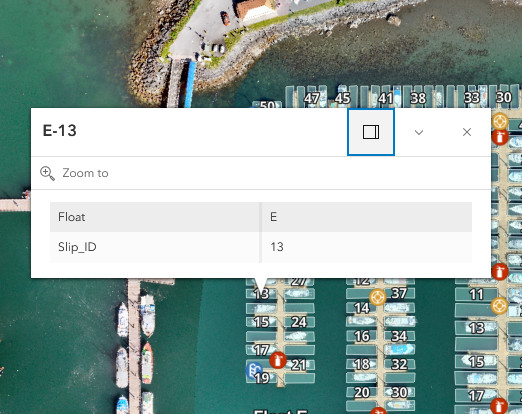
In the search result popup, use "Zoom to" to get a closer look at the desired slip.